

Description
York IE – WebP on Upload plugin automatically converts JPEG, PNG, and static GIF images to WebP format while uploading them to the WordPress media library. The plugin replaces the original files on disk and converts every registered image size generated by WordPress.
This helps reduce image file sizes and improve page load performance without requiring a third-party image optimization service.
Features
- Automatic WebP conversion on media upload
- Replaces the original image file with the WebP version
- Converts all generated image sizes (thumbnail, medium, large, and custom sizes)
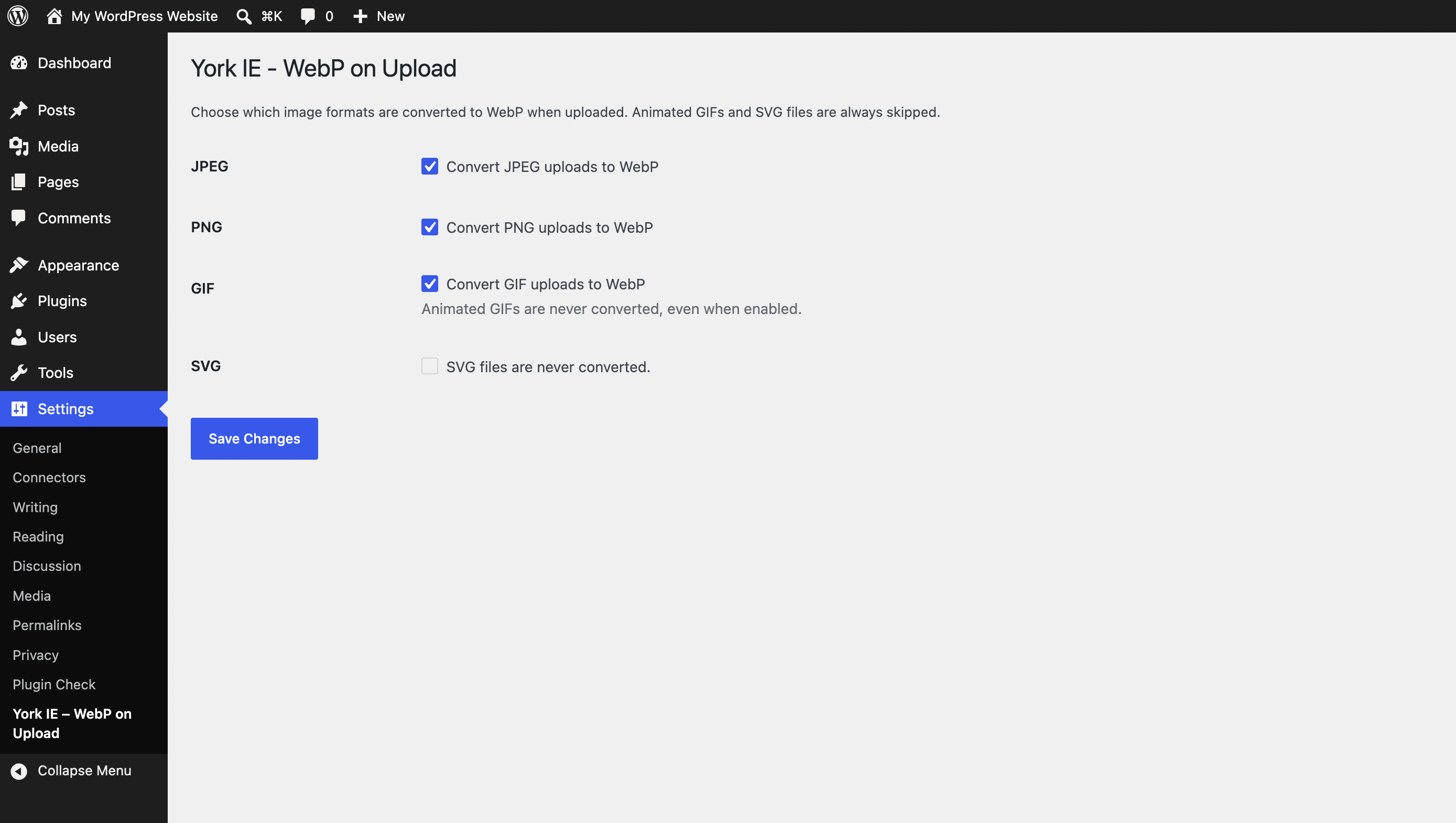
- Per-format settings for JPEG, PNG, and GIF
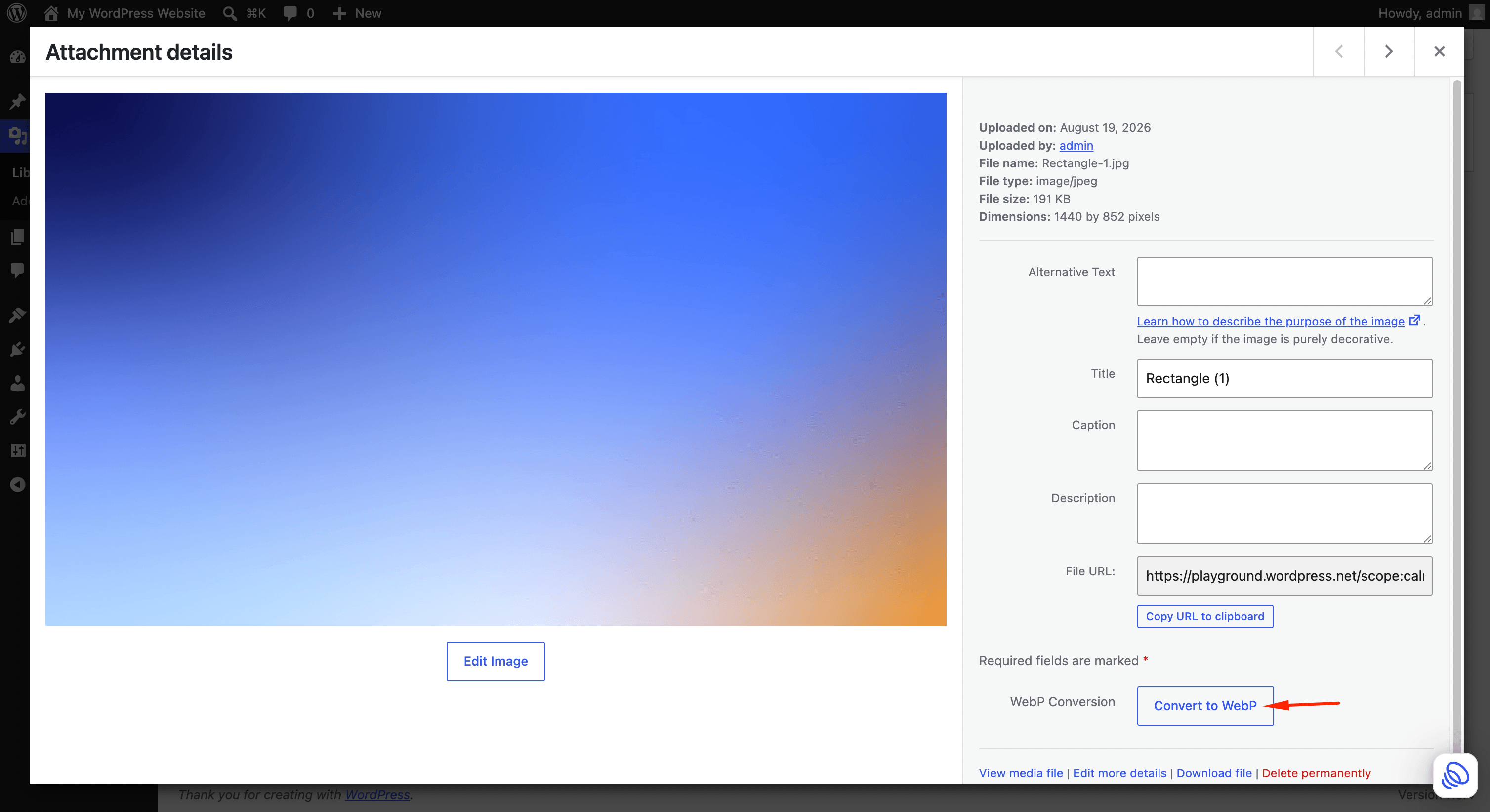
- Manual Convert to WebP button in the attachment details popup
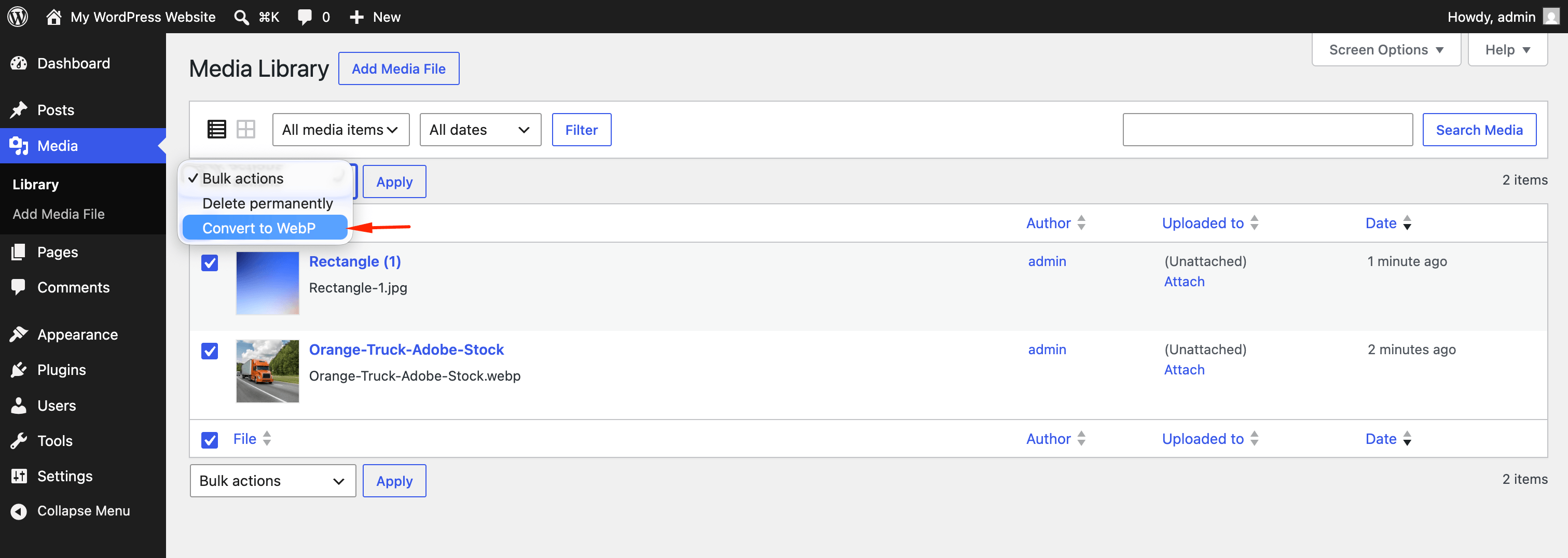
- Bulk Convert to WebP action in the Media Library list view
- Skips animated GIF and SVG files
- Uses PHP GD (
imagewebp) — no external API required
Requirements
- PHP GD extension with WebP support (
imagewebp()) - WordPress 6.0 or later
How it works
- A user uploads an image to the Media Library.
- The plugin checks whether the format is enabled in settings.
- GD converts the uploaded file and all generated sizes to WebP.
- Original files are replaced with
.webpversions and attachment metadata is updated.
Developer filters
yiewebpu_webp_quality— Adjust the WebP quality (0–100) used during conversion. Default is 82.
Screenshots
Installation
- Install the plugin through the Plugins screen in WordPress.
- Activate the plugin through the Plugins screen.
- Go to Settings York IE – WebP on Upload to choose which formats are converted.
- Upload a new image or convert existing images from the Media Library.
FAQ
-
Does this plugin keep a copy of the original JPG or PNG file?
-
No. The original file is replaced with the WebP version to save disk space. Make a backup before converting existing media if you need to keep originals.
-
Are animated GIFs converted?
-
No. Animated GIF files are always skipped. Static GIF files can be converted when GIF conversion is enabled in settings.
-
Are SVG files converted?
-
No. SVG files are never converted.
-
What happens if my server does not support WebP in GD?
-
The plugin shows an admin notice and leaves uploads unchanged until
imagewebp()is available in PHP GD. -
Can I convert images that were uploaded before installing the plugin?
-
Yes. Use the Convert to WebP button in the attachment details popup, or select images in the Media Library list view and run the Convert to WebP bulk action.
-
Does this plugin send images to an external service?
-
No. All conversion happens locally on your server using PHP GD.
-
Does this plugin collect personal data?
-
No. The plugin does not collect, store, or transmit user data. It only stores your format preference settings in the WordPress options table.
Reviews
There are no reviews for this plugin.
Contributors & Developers
“York IE – WebP on Upload” is open source software. The following people have contributed to this plugin.
Contributors
Translate “York IE – WebP on Upload” into your language.
Interested in development?
Browse the code, check out the SVN repository, or subscribe to the development log by RSS.
Changelog
1.4.0
- Changed the unique plugin prefix from
woutoyiewebpufor WordPress.org naming guidelines. - Renamed the developer filter
wou_webp_qualitytoyiewebpu_webp_quality.
1.3.0
- Added bulk Convert to WebP action for the Media Library list view.
- Added admin notices showing converted, skipped, and failed counts after bulk conversion.
1.2.1
- Fixed cached file size metadata not updating after conversion.
- Fixed File URL field not updating immediately in the attachment details popup.
1.2.0
- Added manual Convert to WebP button in the attachment details popup.
- Added AJAX conversion with live attachment details refresh.
1.1.0
- Added settings page with per-format enable/disable toggles for JPEG, PNG, and GIF.
1.0.0
- Initial release.
- Automatic WebP conversion on upload using PHP GD.
- Replaces originals and converts all generated image sizes.
- Skips animated GIF and SVG files.